Using gardens.events
This is for the Gardens Events Calendar (opens in a new tab)
Adding an Event
Step 1 - Logging into the Admin Panel
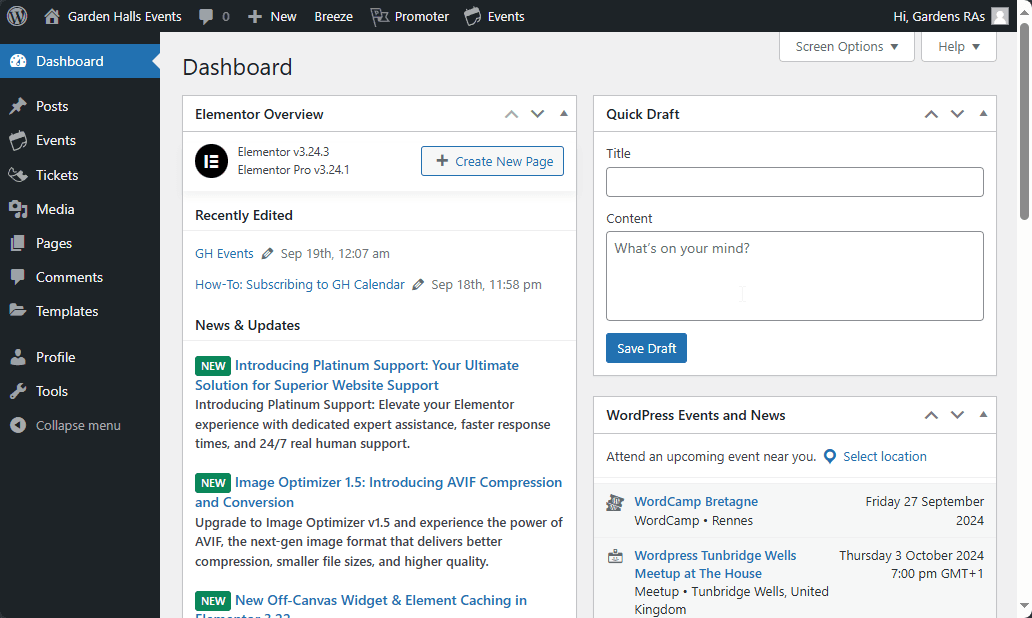
Navigate to the gardens.events admin panel (opens in a new tab) and login using the gh-ra username and password (available in the WhatsApp group chat description). After which, you should be presented with the following screen:
Step 2 - Navigating to the Events Page
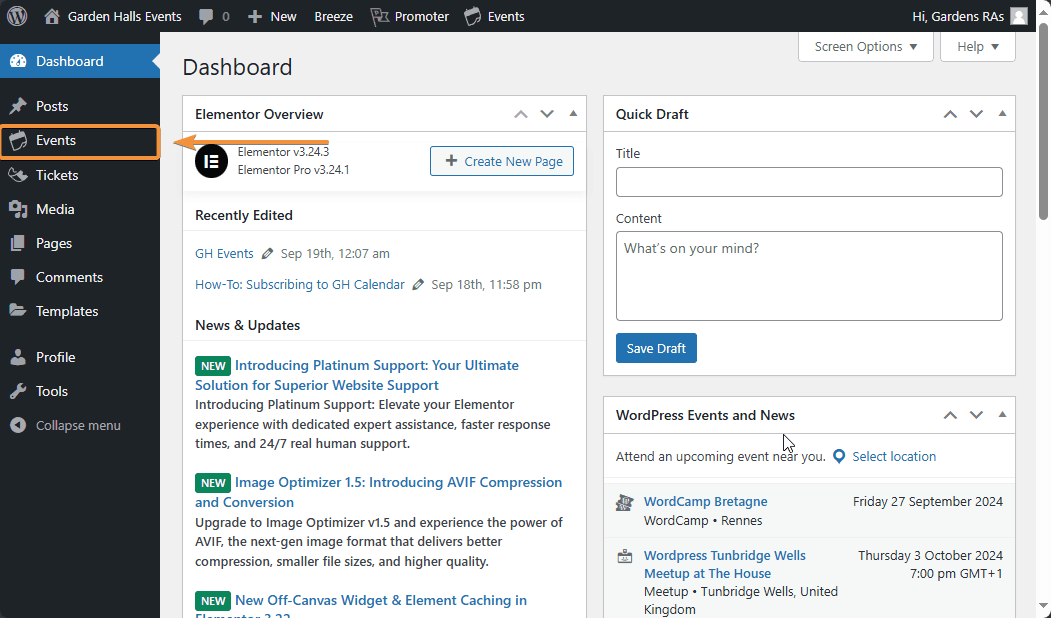
Press the "Events" tab on the sidebar
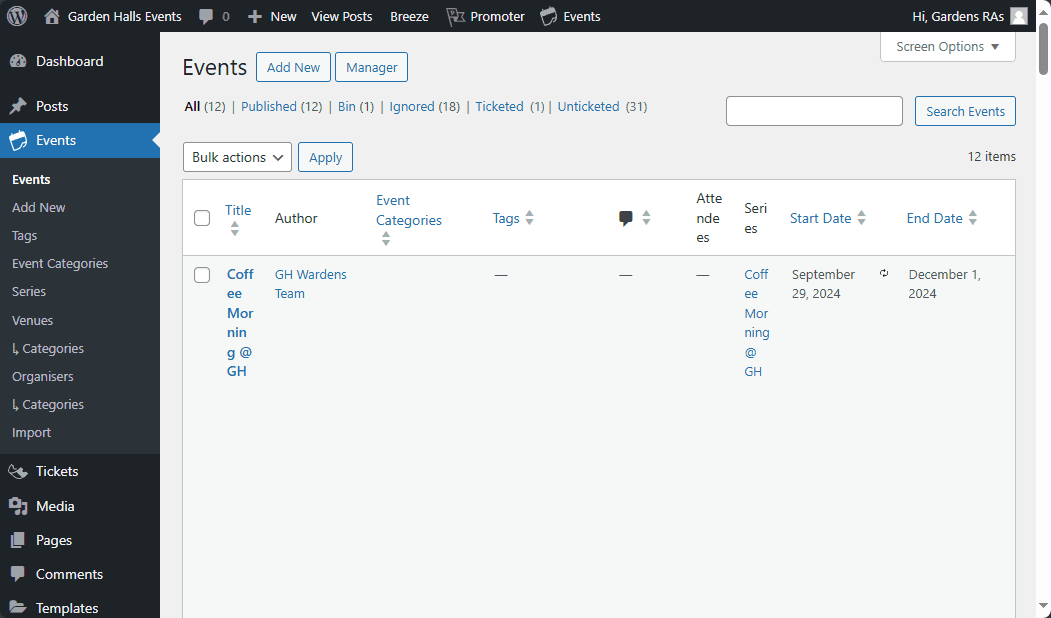
Now you should be presented with the following screen:
Step 3 - Adding a New Event
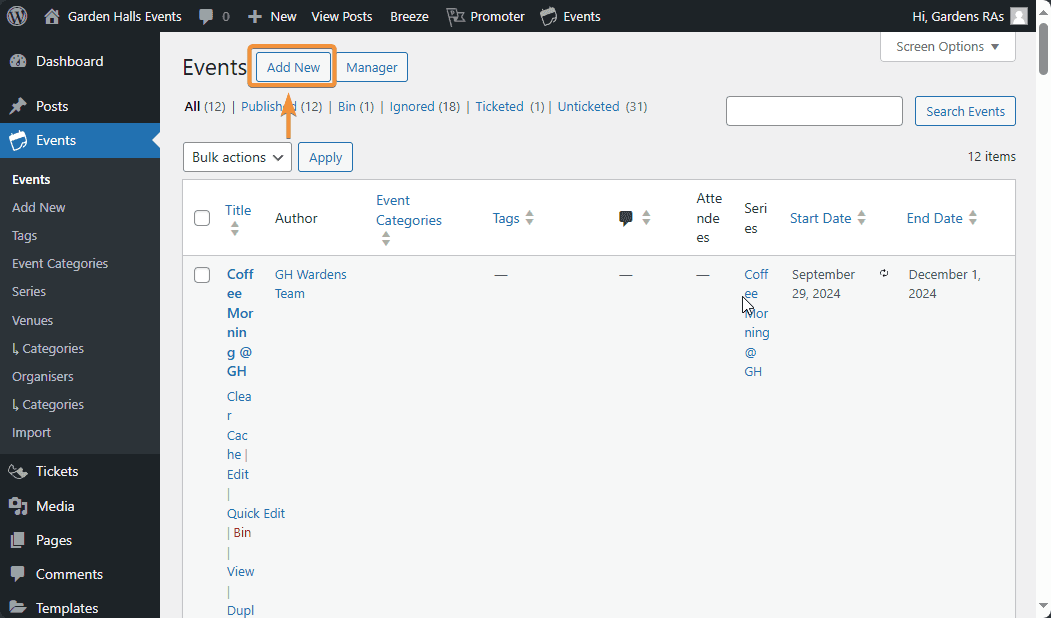
Press "Add New"
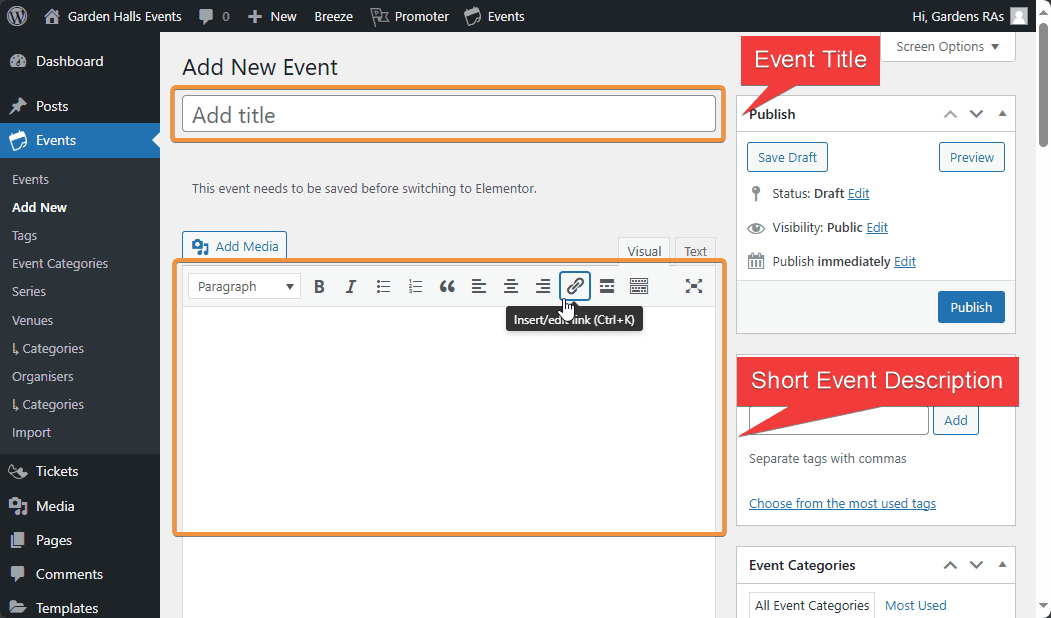
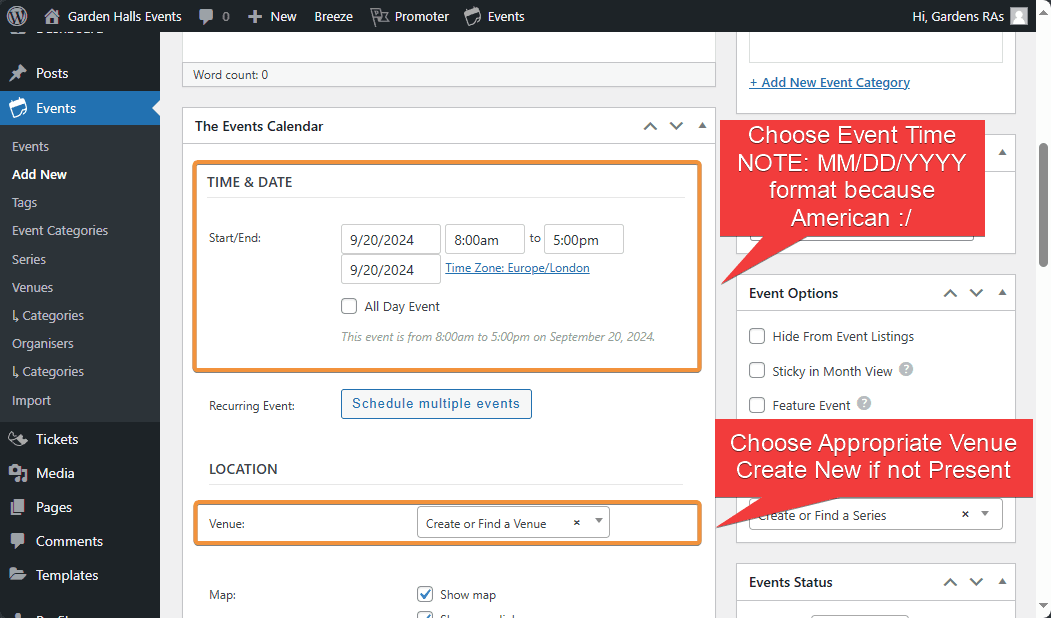
Now fill in the corresponding information:
- Event title
- Event description
- Event time
- Event venue
Other optional fields include
- Ticketing/RSVP (contact Peter)
- Recurring event (contact Peter)
Step 4 - Publish Page
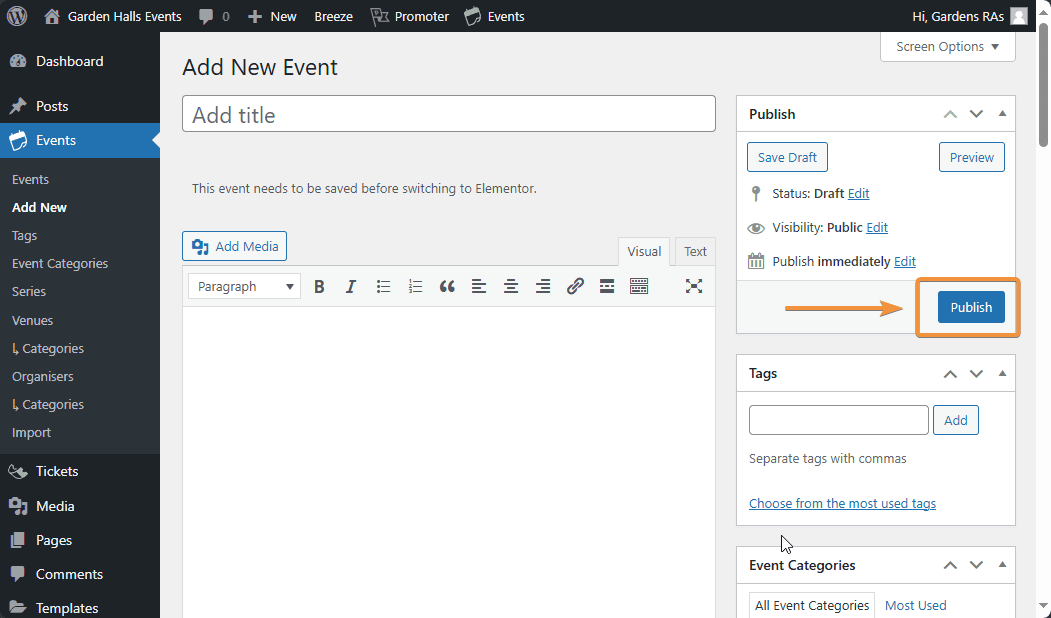
Now scroll up and press "Publish" to make the page public and accessible on the calendar. You should now see your event on the front page events list!